
A workspace designed for assessment work
Qulibra’s editor is purpose-built for the kind of editing that happens after import: fixing question types, cleaning up prompt text, setting correct answers, and tagging questions with metadata before they go out.
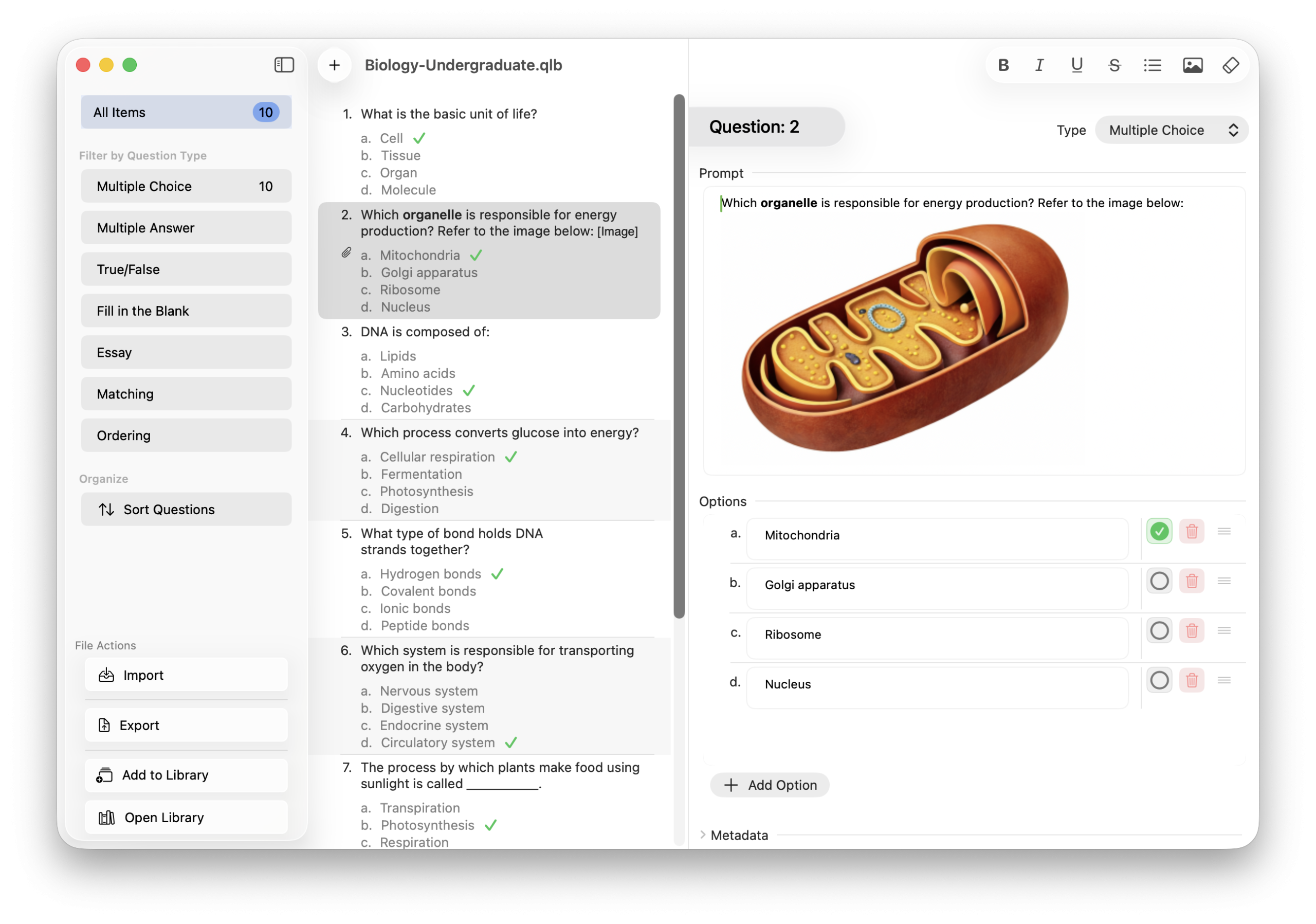
The window has three panes: a sidebar for filtering and document actions, a question list for browsing and selecting, and a detail editor for working on the selected item.
Seven supported question types
Every type has its own editing layout. Switch the type of a question and the editor reshapes to match. Questions sets can be filtered by type to quickly using the left side bar. (see Editor image above)
- Multiple Choice (MC) — one correct answer from a list of choices
- Multiple Answer (MA) — one or more correct answers from a list
- True/False (TF) — binary correct/incorrect
- Fill in the Blank (FIB) — prompt with a blank; all answer options treated as accepted responses
- Essay (ESS) — open-ended prompt with optional sample answer
- Matching (MAT) — paired term and match columns
- Ordering (ORD) — items listed in correct sequence
Rich text in every field
Click into any prompt or answer field to activate the formatting toolbar. Bold, italic, underline, lists, and image insertion are all available. Common shortcuts (Cmd-B, Cmd-I, Cmd-U) work as expected. Use Editor → Clear Formatting when imported text brings unwanted styles.
Metadata on every question
Each question carries category, difficulty, and tag fields. Fill these in during editing or apply them in bulk when adding questions to the library. Consistent metadata makes Library filtering and sorting as you build your content Library over time.
Find, replace, sort, and randomize
- Find and Replace (
Cmd-F) — within the selected question - Find and Replace in All Questions (
Option-Cmd-F) — document-wide - Sort Questions — accessible from the sidebar when you need to reorganize a large set
- Randomize Options — shuffle answer choices on one question or all eligible questions at once (MC, MA, and Matching)
All operations are undoable with Cmd-Z.